How to Import and Add Products To Your CRM Project
This article will show you how to import and add products to your CRM Project
Step 3. Select your diagram
Step 4. Click Next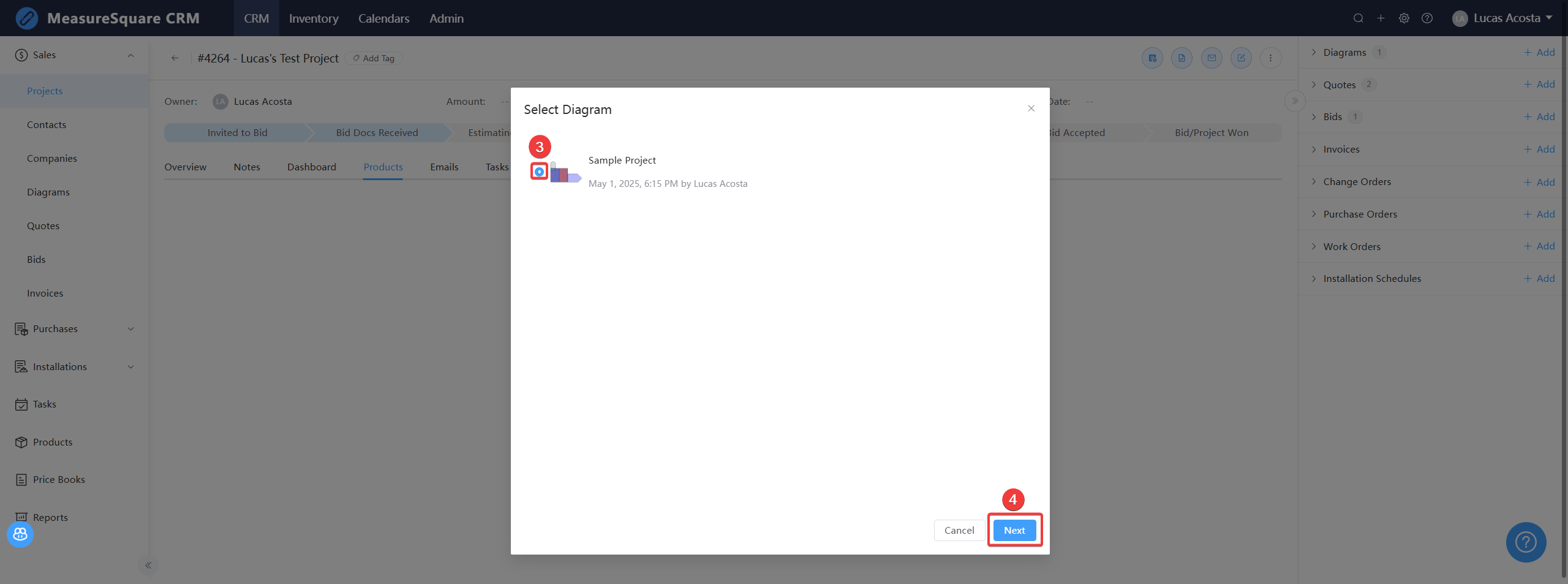

If you want to add products that are not part of a takeoff, you can use the Add Products button instead
Note: The following article explains how to import products in the CRM from a file
Adding Products (from a file)
Steps to add products to a project
Step 1. From your project, click the Products tab
Step 2. Click Add Product
Step 3. Select the products you would like to add
Step 4. Click OK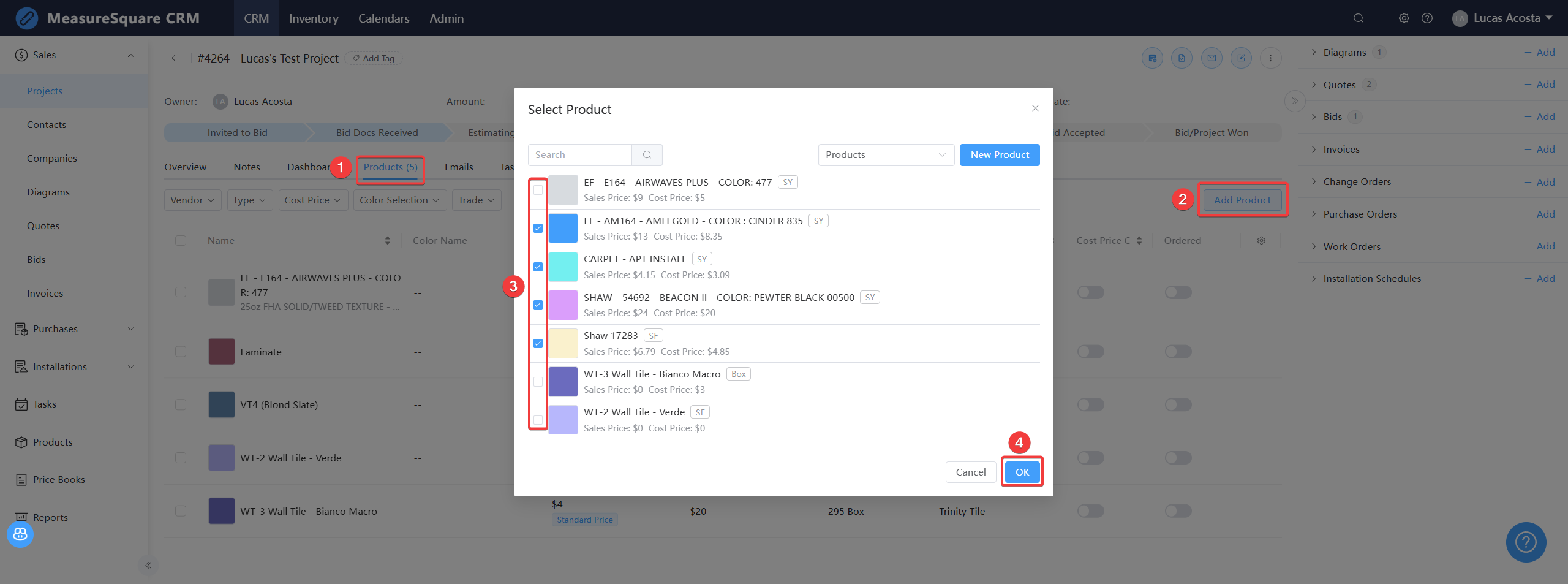
With your products now on the project, you can create a price request and update the customer's selection of color choice, or update pricing once those requests come back in.
For any further questions, please reach out to our Support team
Monday - Friday from 7:30am-4:30pm PST: (626) 683-9188 ext. 3
All Hours: support@measuresquare.com
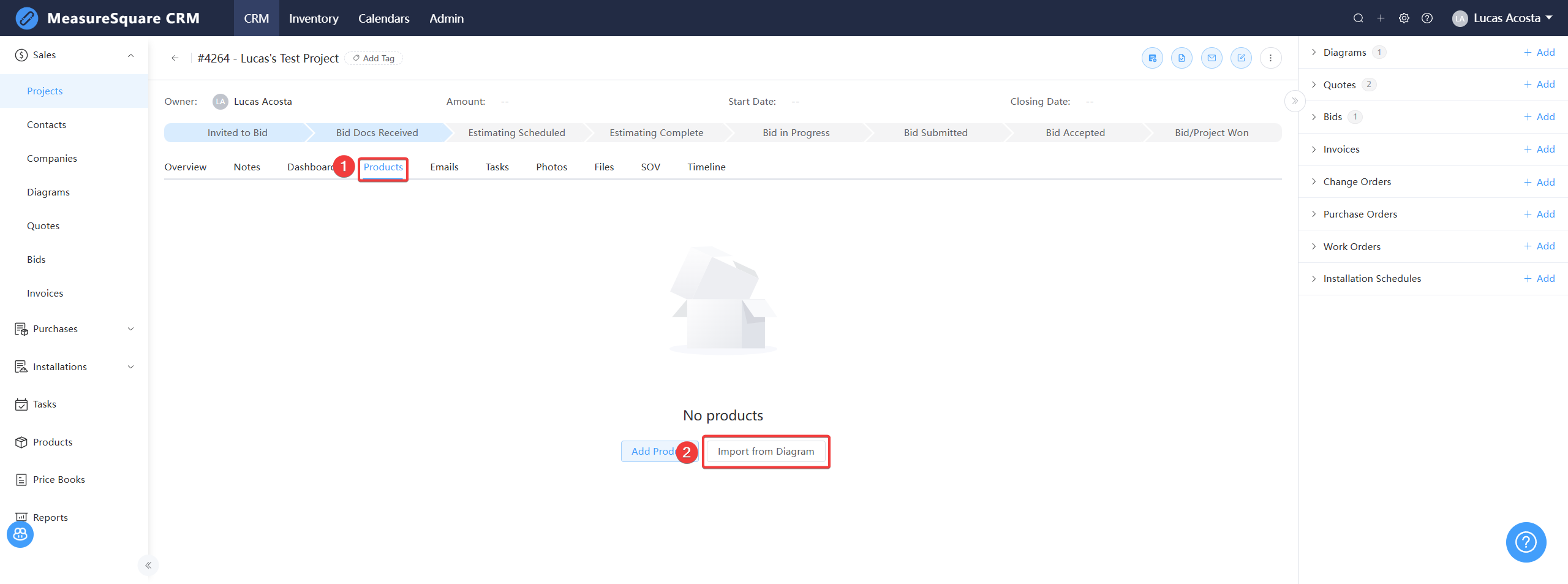
Steps to import products from a diagram:
Step 1. From your Project's page, click the Products tab
Step 2. Click Import from Diagram
Step 1. From your Project's page, click the Products tab
Step 2. Click Import from Diagram
Step 3. Select your diagram
Step 4. Click Next
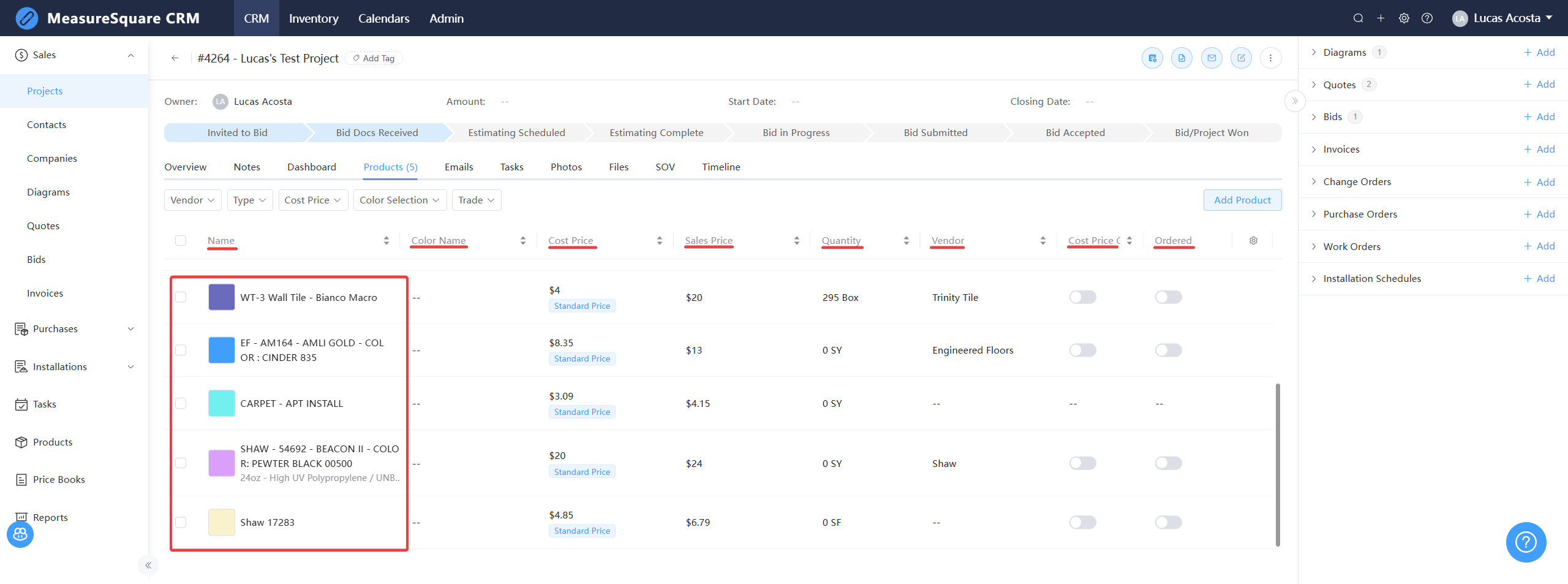
Step 5. Select products
Step 6. Click OK
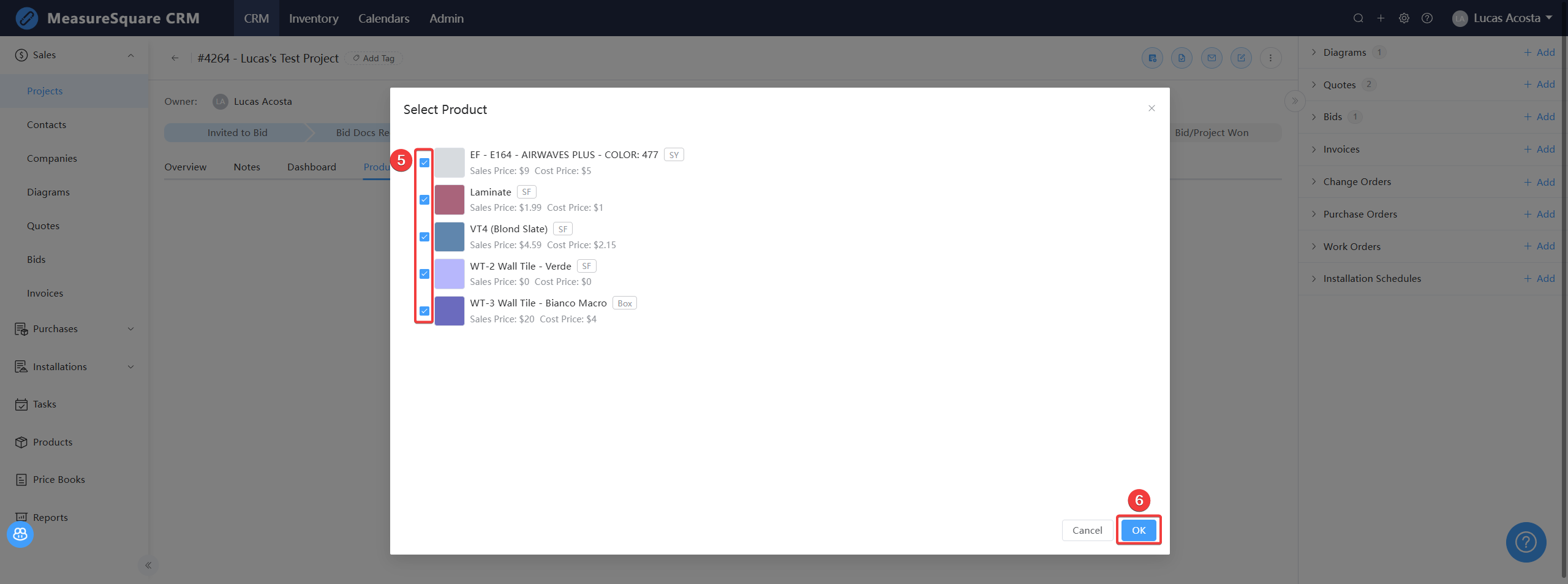
You will be redirected to your Products tab, where you will be able to view your newly imported products.
Step 6. Click OK
You will be redirected to your Products tab, where you will be able to view your newly imported products.
If you want to add products that are not part of a takeoff, you can use the Add Products button instead
Note: The following article explains how to import products in the CRM from a file
Adding Products (from a file)
Steps to add products to a project
Step 1. From your project, click the Products tab
Step 2. Click Add Product
Step 3. Select the products you would like to add
Step 4. Click OK
With your products now on the project, you can create a price request and update the customer's selection of color choice, or update pricing once those requests come back in.
For any further questions, please reach out to our Support team
Monday - Friday from 7:30am-4:30pm PST: (626) 683-9188 ext. 3
All Hours: support@measuresquare.com