How to set Piece Orientation on MeasureSquare Stone
This article will show you how to set piece orientation on MeasureSquare Stone.
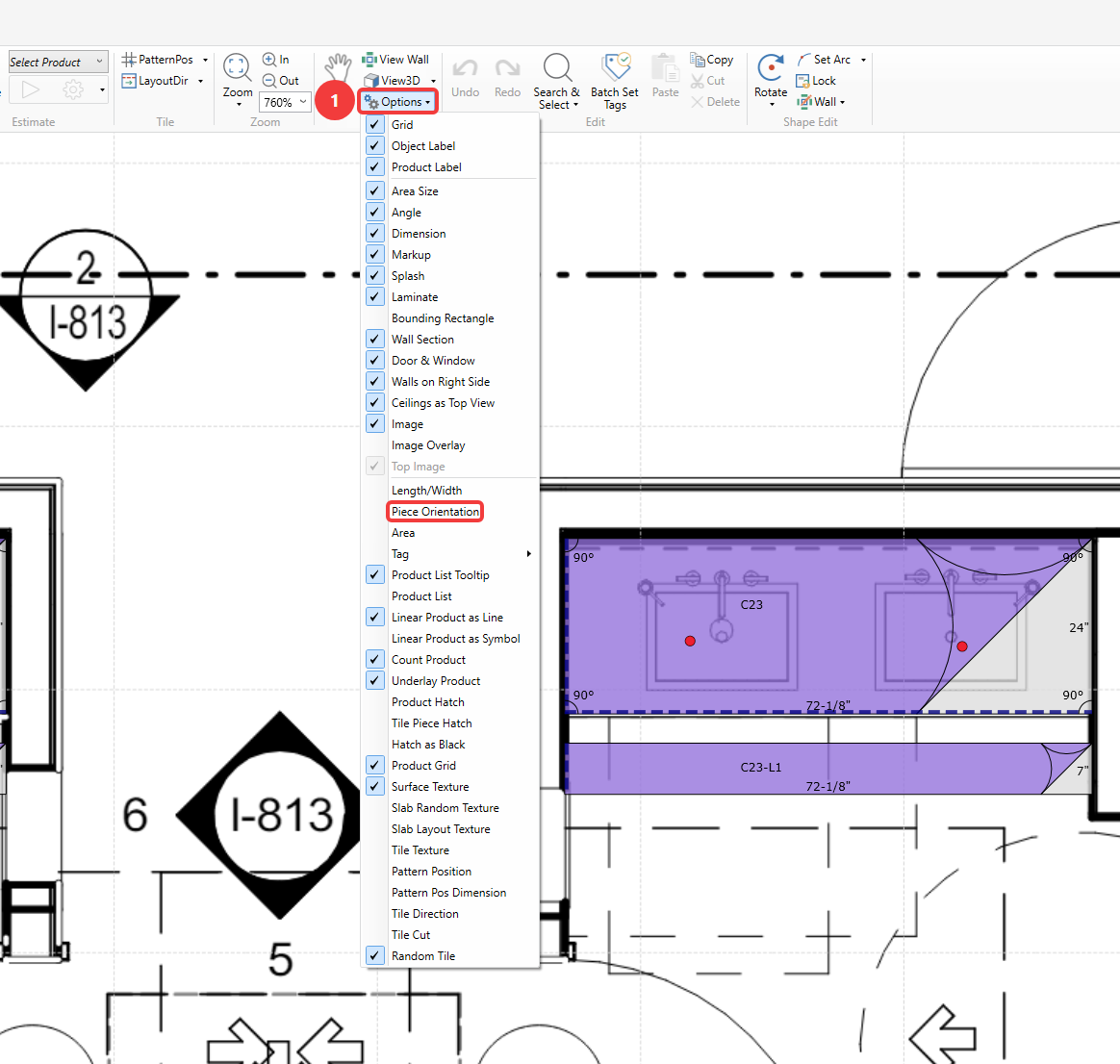
Step 1. Enable Piece Orientation
Access the View Options and click on Piece Orientation to enable it.
Note: View options are available on the Takeoff/Slab Optimizer/Slab Layout/Shop Drawing tabs and are independent from each other.
Step 2. Change Piece Orientation
Right click a piece, go to Area Edit and use the Switch Length/Width, Reset Length/Width and Set Piece Orientation to Consistent options (not the Set Layout Direction tool).
Step 1. Enable Piece Orientation
Access the View Options and click on Piece Orientation to enable it.
Note: View options are available on the Takeoff/Slab Optimizer/Slab Layout/Shop Drawing tabs and are independent from each other.
Step 2. Change Piece Orientation
Right click a piece, go to Area Edit and use the Switch Length/Width, Reset Length/Width and Set Piece Orientation to Consistent options (not the Set Layout Direction tool).