How to add and edit windows in MeasureSquare 8
This article will show you how to add and edit windows in MeasureSquare 8
Adding windows
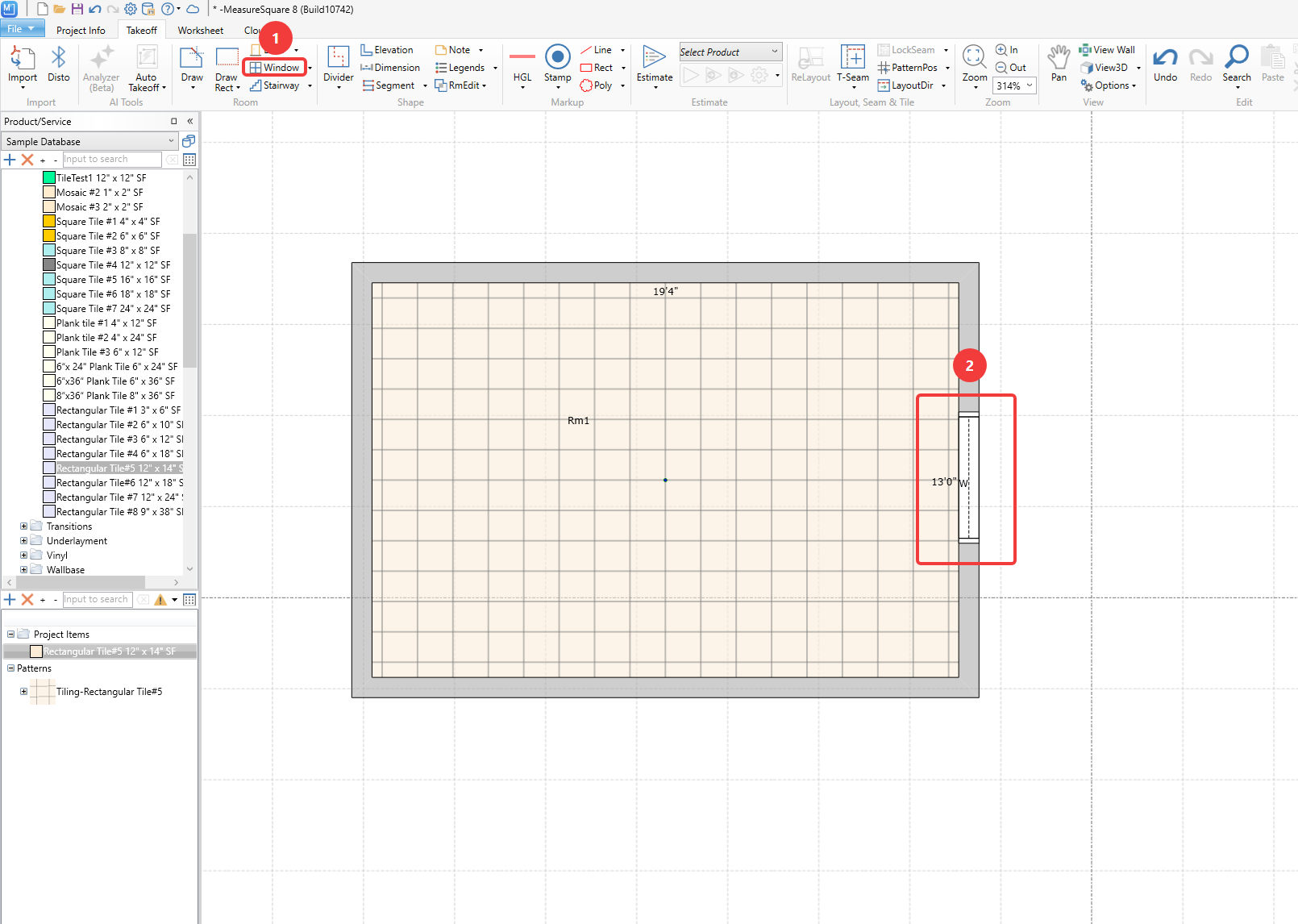
Step 1. Select the Window tool from the ribbon
Step 2. Hover your cursor over a wall and left click to apply it
Editing Windows
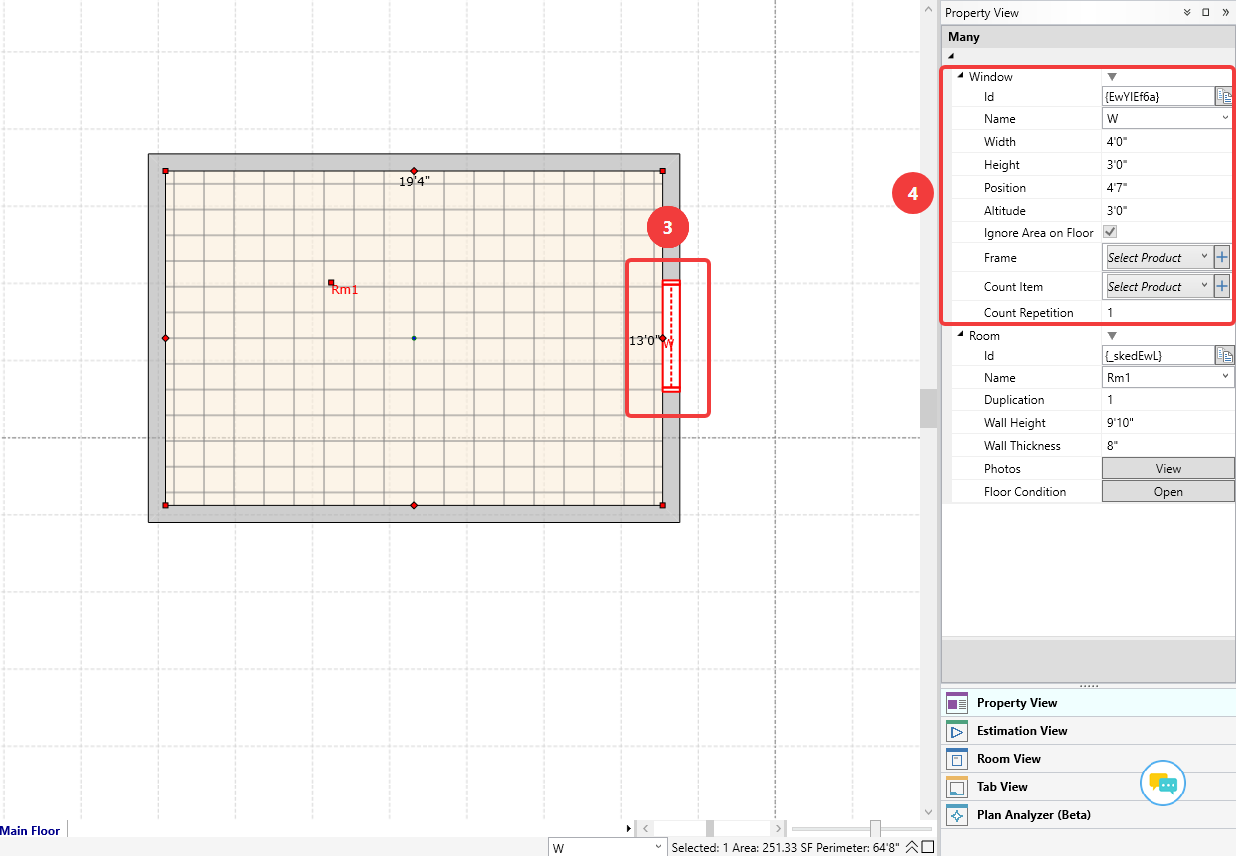
Step 3. Double click the window to open the Property View panel on the right side
Step 4. Left click the available fields to modify details
Width and Height will modify the size of the opening
Position will modify horizontal positioning along a wall
Altitude will modify vertical positioning along a wall
Ignore Area on Floor being checked will exclude flooring product at the bottom of the window when the altitude is set to 0
Adding windows
Step 1. Select the Window tool from the ribbon
Step 2. Hover your cursor over a wall and left click to apply it
Editing Windows
Step 3. Double click the window to open the Property View panel on the right side
Step 4. Left click the available fields to modify details
Width and Height will modify the size of the opening
Position will modify horizontal positioning along a wall
Altitude will modify vertical positioning along a wall
Ignore Area on Floor being checked will exclude flooring product at the bottom of the window when the altitude is set to 0
Frame and Count item fields allow for applying products accordingly
Count repetition allows for duplication of instances for estimating
Count repetition allows for duplication of instances for estimating